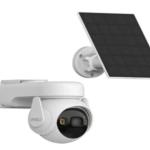
Modern surveillance systems have moved beyond traditional video connections, with network-based cameras becoming increasingly common in homes, offices, retail stores, warehouses, factories, educational institutions, and other properties. IP cameras can provide high-resolution video, remote monitoring, flexible installation, and advanced analytics while using a network infrastructure for communication.
When combined with Power over Ethernet technology, cameras can receive both data and electrical power through compatible network cables. This can simplify installation and make larger surveillance deployments easier to manage. However, achieving reliable performance requires more than connecting cameras to a network. Bandwidth, power capacity, storage, cable quality, network security, and camera placement should all be considered during planning.
This guide explains the main factors involved in designing and installing a reliable IP camera and PoE networking system.
What Is an IP Camera?
An IP camera is a network-connected surveillance device that captures video and transmits it through an Ethernet or wireless network. Unlike traditional analog cameras, IP cameras process digital video and can communicate with network equipment such as switches, routers, NVRs, and computers.
Many modern cameras offer features such as high-definition recording, motion detection, human detection, smart alerts, night vision, two-way audio, and remote viewing. Depending on the model, recordings can be stored locally, on an NVR, on network storage, or through supported cloud services.
The flexibility of network connectivity makes IP cameras suitable for both small installations and larger surveillance environments.
Understanding IP Surveillance Systems
IP surveillance systems use network infrastructure to connect cameras with recording and management equipment. Each camera can communicate over the network, allowing video feeds to be monitored and recorded from a central location.
A typical installation may include several IP cameras, Ethernet cables, network switches, an NVR, storage drives, a router, and suitable power equipment.
One major advantage is scalability. Additional cameras can often be added when the existing network has sufficient bandwidth, power capacity, and addressing resources. This makes IP-based systems particularly useful for businesses that expect their surveillance requirements to grow.
What Is Power over Ethernet?
Power over Ethernet, commonly known as PoE, allows compatible network cables to carry both electrical power and data. This means a compatible camera can receive its network connection and power through the same Ethernet cable.
PoE can simplify installation because separate power cables may not be required at every camera location. It can also make maintenance easier by allowing power to be managed from centralized network equipment.
For surveillance installations, PoE is especially useful when cameras are mounted on ceilings, walls, gates, warehouses, or other locations where installing separate electrical outlets may be inconvenient.
Understanding the Role of a PoE Switch
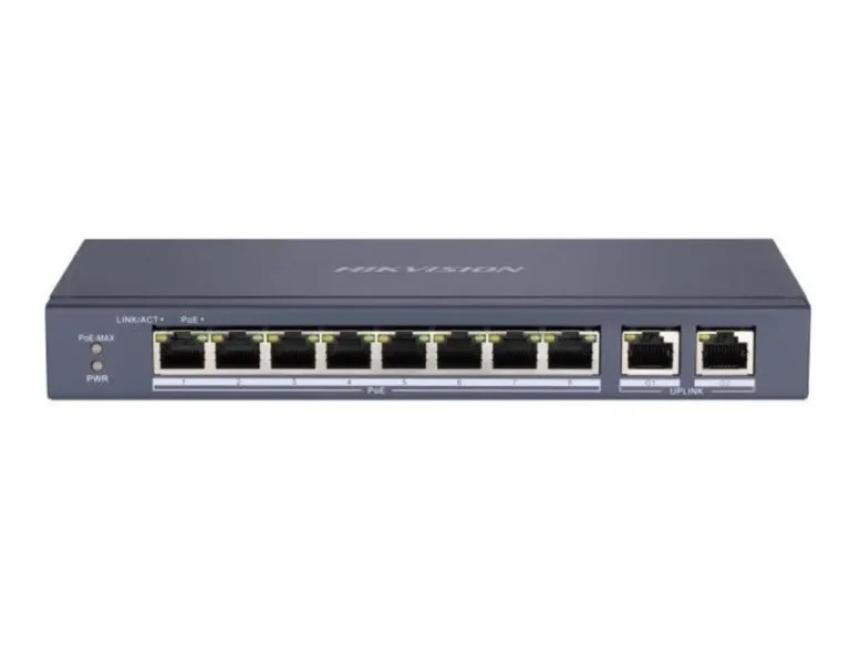
A PoE switch is networking equipment designed to connect compatible devices while supplying power through Ethernet connections. In a CCTV installation, cameras can be connected directly to suitable PoE ports, while the switch connects the cameras to the wider network or recording system.
However, not every switch provides the same amount of power. Before connecting multiple cameras, calculate the total power requirements and compare them with the switch's available PoE power budget.
For example, if several cameras require higher power because they include features such as motorized movement, heaters, advanced illumination, or other accessories, the total demand can be significantly greater than that of basic fixed cameras.
Choosing the Right PoE Standard
Different PoE standards provide different power levels. The appropriate standard depends on the requirements of the connected camera.
Basic fixed cameras may require relatively little power, while advanced PTZ cameras or models with additional features may require substantially more. Selecting equipment with insufficient power capacity can lead to unstable operation or prevent certain cameras from functioning correctly.
Always check the camera's power specifications and confirm compatibility with the selected network equipment before installation.
Understanding IP Camera Resolution
Resolution is one of the most important specifications when selecting an IP camera. Common options range from lower-resolution models for general monitoring to high-resolution cameras designed to capture greater detail.
Higher resolution can improve the visibility of faces, vehicles, products, and other objects, but it also increases bandwidth and storage requirements.
When comparing the IP camera price in Pakistan, buyers should therefore consider the camera's complete technical specifications rather than focusing only on the initial purchase cost. Resolution, sensor quality, lens type, night performance, storage requirements, and networking features can all influence the overall value.
Bandwidth Planning for IP Cameras
Every network camera consumes bandwidth when transmitting video. The amount required depends on resolution, frame rate, compression technology, scene complexity, and bitrate settings.
A system with several high-resolution cameras can generate substantial network traffic. If the network is not properly planned, users may experience delayed video, dropped connections, or recording interruptions.
For larger installations, it is important to calculate the expected traffic generated by all cameras and ensure that switches, uplinks, cables, and recording equipment can handle the load.
Using appropriate compression technology can also reduce bandwidth and storage requirements while maintaining useful image quality.
Selecting Ethernet Cables
Cable selection can affect the stability and performance of a PoE surveillance system. Ethernet cables should be suitable for the required transmission speed, installation distance, and environmental conditions.
For standard installations, high-quality structured cabling can provide reliable communication between cameras and network equipment. Outdoor installations may require cables specifically designed for external environments.
Cable length should also be considered because Ethernet and PoE have distance limitations. When cameras are located far from the main network equipment, additional network planning may be required.
Planning Storage for Video Recording
Network cameras generate digital video that must be stored somewhere if continuous or event-based recording is required. NVRs are commonly used to manage and record multiple IP cameras.
Storage capacity depends on camera count, resolution, bitrate, frame rate, recording schedule, and desired retention period.
Continuous recording consumes more storage than motion-based recording. Businesses that need footage available for several weeks should calculate their storage requirements before purchasing the recording hardware.
It is also important to choose surveillance-rated storage drives designed for continuous recording workloads.
Network Security Should Not Be Ignored
Because IP cameras connect to networks, cybersecurity should be part of the installation process. Default usernames and passwords should be changed before the system is put into operation.
Use strong passwords and create separate user accounts where possible. Firmware should also be updated when manufacturers release security or performance improvements.
Remote access should be configured carefully. Unnecessary services should be disabled, and access should be limited to authorized users.
A well-designed surveillance network protects not only video footage but also the wider network infrastructure to which the cameras are connected.
Designing PoE CCTV Systems
PoE CCTV systems are particularly useful when multiple cameras need to be installed across a property. Before installation, determine camera locations, cable routes, power requirements, network capacity, recording requirements, and future expansion needs.
A centralized PoE arrangement can simplify maintenance because cameras can be connected to common network infrastructure. However, very large buildings may require multiple switches positioned strategically to avoid excessive cable lengths.
For multi-floor buildings, placing network equipment closer to groups of cameras can improve cable management and simplify future maintenance.
Installation and Camera Placement
Good camera placement is just as important as selecting high-quality equipment. A technically advanced camera cannot provide useful footage if its field of view is obstructed or poorly positioned.
Entrances should be positioned to capture useful facial details, while parking areas and large outdoor spaces may require cameras with appropriate lenses and viewing ranges.
Avoid pointing cameras directly toward strong light sources whenever possible. Direct sunlight, headlights, and reflective surfaces can affect image quality.
Cable routes should also be planned carefully to reduce accidental damage and maintain a clean installation.
Planning for Future Expansion
A surveillance network should ideally be designed with future requirements in mind. Businesses may add cameras when they expand offices, warehouses, entrances, or operational areas.
Leaving some capacity on network switches, recording equipment, storage, and cable infrastructure can make future upgrades easier.
It is generally more practical to plan expansion during the initial installation than to redesign the entire network later.