Imagine a customer has a simple question.
They do not want to open a support ticket. They do not want to wait for an email response. They do not want to explain the same problem to an agent that they already explained on your website.
They want an answer now.
That is where a well-built self-service experience can change the entire customer journey.
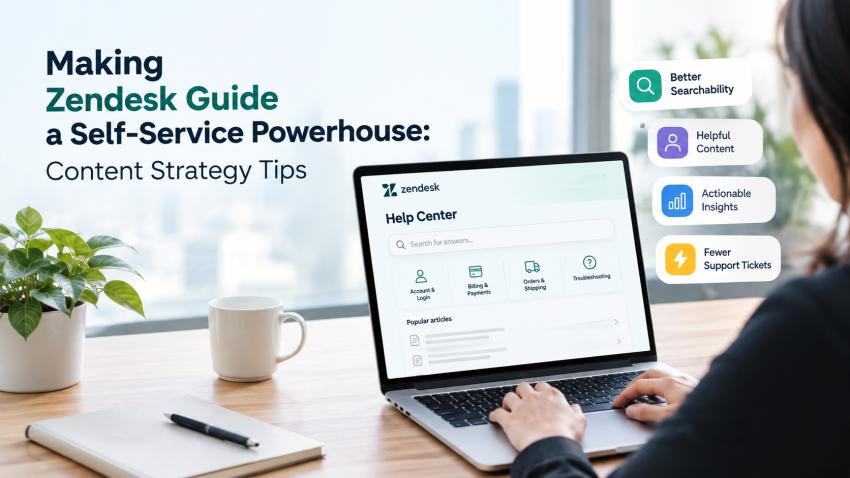
Zendesk Guide can become far more than a collection of FAQs. With the right content strategy, it can become a reliable destination where customers find answers quickly, solve common problems themselves, and know exactly where to go when they still need human help.
The challenge is not creating more articles. It is creating the right articles, in the right structure, using the language your customers actually use.
What makes a self-service knowledge base effective?
An effective knowledge base answers real customer questions quickly and clearly.
That sounds simple, but many businesses make the same mistake. They build content around what the company wants customers to know instead of what customers actually need to accomplish.
For example, a support team might create an article titled "Account Management Features."
A customer is more likely to search for:
"How do I change my account email?"
That difference matters.
Current Zendesk guidance recommends clear, action-based titles, short articles, logical sections, lists, related links, and defined ownership for knowledge-base content. These practices make content easier to find, scan, maintain, and use.
Your content strategy should start with the customer's problem, not your internal terminology.
1. Build your content strategy from support data
Your support tickets already contain your content roadmap.
Look for questions that appear repeatedly. Identify issues that generate unnecessary tickets, take agents too long to explain, or cause customers to contact support for information they could reasonably find themselves.
These are your first content opportunities.
For example, if customers repeatedly ask:
- How do I reset my password?
- Where can I update billing information?
- How do I cancel my subscription?
- Why hasn't my order shipped?
- How do I change my plan?
You already have a prioritized list of articles.
Zendesk recommends using ticket data and common customer issues to identify knowledge-base topics instead of guessing what customers need.
This approach also makes your content strategy easier to defend internally because every article connects to an actual customer need.
2. Write titles the way customers search
Your customers do not search like your product team.
They use everyday language.
That makes search intent one of the most important parts of a knowledge base content strategy.
Instead of:
Subscription Management
Try:
How to Change Your Subscription Plan
Instead of:
Authentication Issues
Try:
How to Fix a Two-Factor Authentication Problem
Instead of:
Order Fulfillment Information
Try:
How to Track Your Order
Clear titles improve usability and can also help search engines understand what the page is about. Zendesk specifically recommends using customer-oriented keywords and titles that reflect actual search behavior.
Think about the words a frustrated customer would type into Google or your help center search box. Then use those words naturally.
3. Give every article one clear job
A self-service article should solve one primary problem.
Do not turn a single article into a giant manual covering every feature, exception, and related process.
If a customer searches for "How to update my payment method," they should not have to read 2,000 words about account management before reaching the answer.
Break large topics into focused articles.
Use:
- A direct answer or outcome at the beginning
- Short explanations where necessary
- Numbered steps for processes
- Bullets for options or requirements
- Related articles for deeper information
This structure supports both human readers and answer-driven search experiences because the main question and answer are easier to identify.
4. Make your content easy to scan
People rarely read support content word for word.
They scan.
That means your formatting matters.
Use descriptive headings, short paragraphs, numbered instructions, bullets, screenshots where they add value, and clear calls to action.
If an article requires ten steps, do not hide those steps inside long paragraphs.
Make them visible.
The goal is not to make your knowledge base look impressive. The goal is to help someone complete a task without contacting support.
That is the real measure of good self-service support.
5. Build content around search intent, not keyword density
SEO still matters, but keyword stuffing does not.
Google's current guidance emphasizes helpful, reliable, people-first content and warns against creating content primarily to manipulate rankings. Google also states that its AI search experiences continue to rely on foundational SEO practices.
For your knowledge base, this means understanding what the customer wants when they search.
Consider three searches:
"What is two-factor authentication?"
This requires an explanation.
"How do I enable two-factor authentication?"
This requires instructions.
"Two-factor authentication not working"
This requires troubleshooting.
The keyword may be similar, but the intent is completely different.
Create content that satisfies the specific intent behind the search.
6. Connect related articles
Customers rarely have only one question.
They solve problems in sequences.
Someone learning how to update a payment method may also need to know how billing dates work. Someone changing a password may need information about two-factor authentication. Someone canceling a subscription may need to understand refunds.
Use internal links to connect these related questions.
This creates a stronger content ecosystem and helps customers continue solving problems without returning to the support queue.
It also gives search engines clearer context about how your content relates to broader topics.
7. Treat your knowledge base like a product
Publishing 500 articles does not mean you have a great knowledge base.
If 150 are outdated, 75 use confusing terminology, and 100 answer questions customers no longer ask, your content library becomes a liability.
Assign ownership.
Review high-value articles regularly. Update content when products, pricing, policies, interfaces, or processes change. Archive information that no longer serves customers.
Zendesk recommends establishing ownership, creating a regular content process, reviewing content, and using analytics to identify opportunities for improvement.
Think of your knowledge base as a living product that requires continuous maintenance.
8. Use search analytics to find content gaps
One of the most useful questions you can ask is:
What are customers searching for that we do not answer well?
Search analytics can reveal the answer.
Look for:
- High-volume searches with no useful results
- Searches that lead to low engagement
- Repeated searches using different wording
- Topics generating large numbers of support tickets
- Articles customers frequently search for but do not find
- Content that receives traffic but fails to resolve the customer's problem
Zendesk's search analytics can show search terms, result counts, clicks, and subsequent actions, giving teams useful signals for improving content.
This turns your knowledge base from a publishing project into a continuous improvement system.
9. Prepare your content for AI-powered support
Self-service is changing.
Customers increasingly interact with AI-powered experiences that depend on reliable knowledge sources. That makes the quality of your underlying content more important, not less.
Poor documentation can produce poor automated answers.
Clear documentation gives AI better material to work with.
Current Zendesk guidance specifically recommends analyzing ticket data, identifying common issues, reviewing existing content, listening to customer communities, and optimizing content to strengthen the knowledge foundation for AI.
This is why knowledge base SEO and knowledge management should not be treated as separate projects. Your content needs to work for customers, support agents, search engines, and AI-powered experiences.
10. Measure whether self-service is actually working
Do not judge your knowledge base by article count.
Measure outcomes.
Track metrics such as:
- Search volume and failed searches
- Article views
- Article engagement
- Customer feedback
- Ticket deflection
- Repeat contacts
- Top support topics
- Content gaps
- Time spent resolving common issues
The objective is straightforward:
Can customers find the right answer and solve the problem without unnecessary human intervention?
If the answer is no, improve the content.
Where Tollanis Solutions fits into the bigger picture
Building a high-performing self-service experience requires more than publishing articles. It requires understanding customer behavior, structuring information properly, improving searchability, and continuously refining the knowledge base.
For businesses looking to strengthen their customer support infrastructure, Tollanis Solutions helps organizations think beyond basic documentation and build smarter digital support experiences.
As a Zendesk partner, Tollanis Solutions can also help businesses approach knowledge management as part of a broader customer experience strategy rather than treating it as an isolated support function.
The real goal is not fewer tickets
Reducing support tickets is useful.
But it should not be the only goal.
The bigger opportunity is giving customers control over their experience.
When someone can find an accurate answer in seconds, they move forward without waiting. Your support team gets more time for complex problems. Customers get faster resolutions. And your business creates a support experience that scales more efficiently.
That is what turns Zendesk Guide self-service into a real business advantage.
The best knowledge base does not try to answer everything.
It answers the right questions, in the right words, at the right moment.
And it keeps getting better.