

Smartphones have become an essential part of daily life. Whether you use your device for work, communication, entertainment, or online shopping, a slow and lagging phone can be frustrating. Apps take longer to open, web pages load slowly, and simple tasks become time-consuming.
The good news is that many performance issues can be resolved with a few practical steps. This guide covers the most common causes of smartphone lag and provides effective mobile phone fix tips to help improve your device's speed and performance.
Why Do Mobile Phones Become Slow?
Over time, smartphones collect unnecessary files, install numerous applications, and handle increasingly demanding tasks. As a result, device performance may decline.
Common reasons include:
Limited storage space
Too many background applications
Outdated software
Malware or suspicious apps
Aging batteries
Excessive cache files
Hardware-related issues
Understanding the cause is the first step toward finding the right solution.
1. Free Up Storage Space
Storage plays a major role in smartphone performance. When your device is nearly full, it has less room to operate efficiently.
To free up space:
Delete unused apps
Remove duplicate photos and videos
Clear downloaded files you no longer need
Transfer media to cloud storage
Keeping at least 15-20% of your storage available can help your phone run more smoothly.
2. Clear App Cache Regularly
Applications store temporary files known as cache data. While cache helps apps load faster, excessive cached data can have the opposite effect.
Try clearing cache for:
Social media apps
Web browsers
Streaming services
Messaging applications
Regular cache maintenance is one of the simplest mobile phone fix methods for improving performance.
3. Restart Your Phone Frequently
Many users rarely restart their devices. A simple reboot can close unnecessary background processes, refresh memory, and resolve minor software glitches.
Consider restarting your smartphone at least once every few days to maintain optimal performance.
4. Update Your Operating System
Software updates often include:
Performance improvements
Security enhancements
Bug fixes
Better resource management
Running outdated software can lead to sluggish performance. Always install updates from your device manufacturer when available.
5. Remove Unnecessary Background Apps
Many applications continue running even when you're not actively using them. These apps consume memory, battery power, and processing resources.
Review your installed applications and remove those you no longer need. Limiting background activity can significantly improve responsiveness.
6. Check for Malware and Suspicious Apps
Malicious software can slow down your device and create performance issues.
Warning signs include:
Frequent pop-up ads
Unexpected battery drain
Random app installations
Excessive data usage
Download apps only from trusted sources and perform regular security scans.
7. Reduce Home Screen Clutter
Widgets, live wallpapers, and excessive animations can place additional strain on your phone's processor.
For better performance:
Remove unnecessary widgets
Use a static wallpaper
Reduce animation settings
Keep your home screen organized
These small changes can make a noticeable difference on older devices.
8. Monitor Battery Health
Many users don't realize that battery condition can impact overall performance. As batteries age, smartphones may automatically reduce processing speed to maintain stability.
If your phone experiences:
Sudden shutdowns
Rapid battery drain
Slow performance while charging
It may be time for a battery inspection or replacement.
9. Perform a Factory Reset as a Last Resort
If your phone remains slow after trying other solutions, a factory reset may help.
Before resetting:
Back up important files
Save contacts and photos
Record account information
A factory reset removes accumulated software issues and restores the device to its original state.
10. Know When Professional Repair Is Needed
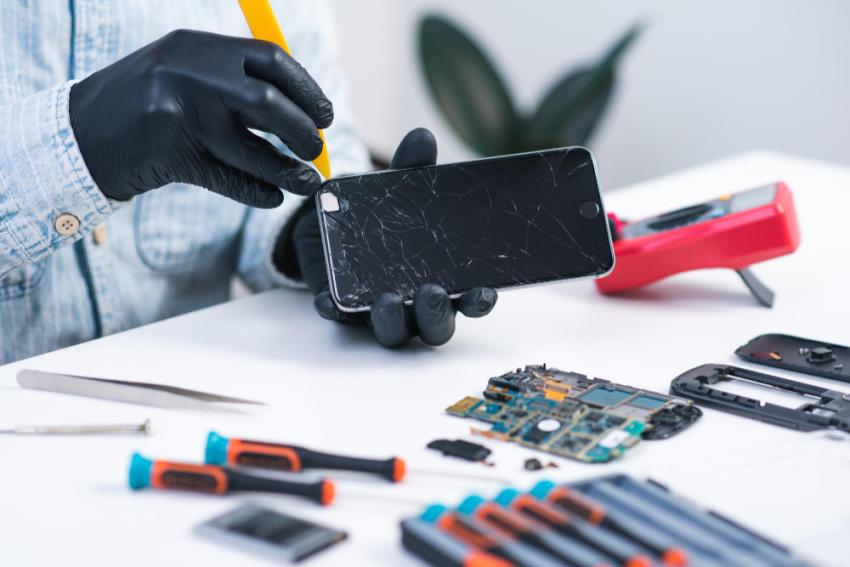
Sometimes lagging performance is caused by hardware problems rather than software issues. Damaged storage chips, failing batteries, or motherboard issues may require professional attention.
If you've tried multiple troubleshooting steps without success, consulting a repair technician can help identify the underlying cause. Many users searching online for solutions such as mobile phone fix Orlando services often discover that a professional diagnostic check can quickly reveal hidden hardware-related problems.
Preventing Future Performance Issues
To keep your smartphone running smoothly:
Update software regularly
Remove unused apps
Clear cache files monthly
Avoid downloading suspicious applications
Maintain sufficient storage space
Restart your device periodically
Consistent maintenance can prevent many common performance problems before they become serious.
Final Thoughts
A slow smartphone doesn't always mean it's time to buy a new device. In many cases, simple maintenance steps can restore speed and improve the overall user experience. By managing storage, updating software, clearing cache, and monitoring battery health, you can extend the life of your device and enjoy smoother performance.
When troubleshooting no longer helps, professional repair services can diagnose deeper hardware issues and recommend the most effective solution.



