

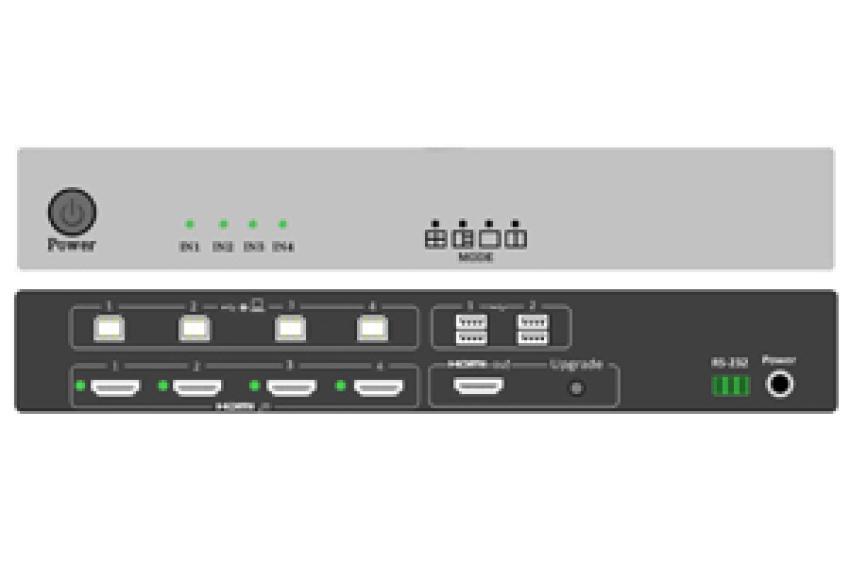
The use of many computers and displays may be hard to handle if the work that you do requires efficiency, flexibility, and ease of control. Technology can be the answer for simplifying this type of system, avoiding switching from one thing to another when not necessary, and allowing easier management of your connected systems. The use of a MULTIVIEW KVM switch is a possible solution for handling multiple computer sources and for being able to view their contents on any supported display. Whether you need a workstation for professional use, a control room, or just a multitasking station, the use of this kind of technology may be very helpful for you.
Top Reasons To Introduce MULTIVIEW KVM Switch In Your Workspace:
1. Enjoy a Cleaner Setup with Smart Connectivity
Using the MULTIVIEW KVM Switch is one way to make your workstation more efficient, as it lets you control several computers that are connected with the use of shared peripherals like a keyboard and mouse, where applicable. Rather than having individual peripherals for each computer, you will find it easier to switch between computers, as well as save on desk space.
2. Optimizing Workplace Efficiency
A desk that is organized will greatly enhance efficiency in daily tasks. The KVM switch can be used to accomplish this through the elimination of additional hardware and connection points. In addition to this, ensure that the cables are arranged properly and that all the devices are accessible. Select the appropriate type depending on what will best suit your monitor and PC.
3. Organizing Cables to Connect Your Devices without Much of a Hassle
When you work on multiple computers, the usual result is a tangle of wires and cables. Using a MULTIVIEW KVM switch will help consolidate all the connections of supported devices, allowing you to arrange your cables and switch between the devices easily. The number of video inputs and USB devices that the particular model supports will determine the ease of connecting the devices.
4. MULTIVIEW Display Control Allows You to See More
A multi-source KVM switch allows the user to see various video inputs on the same display through the use of compatible models. This is especially advantageous for IT personnel, control room settings, and those who work with multiple computers at once. With multiview display control, a user is able to monitor vital information, compare information, and optimize workflow with the use of a single screen.
5. Streamline Your IT Process with Intelligent Display Management
Revolutionise IT with Multiview KVM Switch that will make multitasking, organizing, and managing computers easy. Through the capability to use one system to view and control many other connected systems, a good KVM switch makes it easier for IT personnel to deal with their complex work process. Based on the specific switch model used, multi-tier capability can facilitate viewing multiple video connections on one display screen.
Conclusion
The selection of a suitable MULTIVIEW KVM switch will be able to make a significant difference in how you handle your multiple systems and displays. This is by taking into account some of the vital considerations like compatibility, resolution support, connectivity, and viewing mode, among other things. This will ensure you get a product that fits your needs. In case you need suitable hardware for your system, then you should not hesitate to contact BEACON, the real and all-in-one UTP-based IT hardware solutions provider.
FAQs
1. What is a MULTIVIEW KVM switch?
A multi-screen KVM switch is a piece of hardware that lets users control several computers and view their data using display setups compatible with the switch. The features available depend on the particular multi-display KVM switch model.
2. Can the multi-screen KVM switch use various types of video connections?
Based on the model, it can have connections via HDMI, DisplayPort, DVI, or VGA ports. It is important to consider the manufacturer’s specifications regarding the necessary input/output ports.
3. Is it possible for a multi-display KVM switch to increase efficiency?
It is possible by making multitasking easier through decreased switching from one computer to another and having all the available sources show up on the monitor screen at once.
4. What makes a normal KVM switch different from the multi-display KVM switch?
A normal KVM switch allows one to control several computers with the use of one keyboard, video, and mouse. The multi-screen KVM switch could also combine video inputs on one screen, depending on its capabilities.
5. What are some of the advantages of the multi-screen KVM switch?
The video KVM switch can assist in making it easier to manage multiple computers, eliminate the use of multiple peripheral devices, enable flexible screen viewing, and create a more organized workstation environment.