

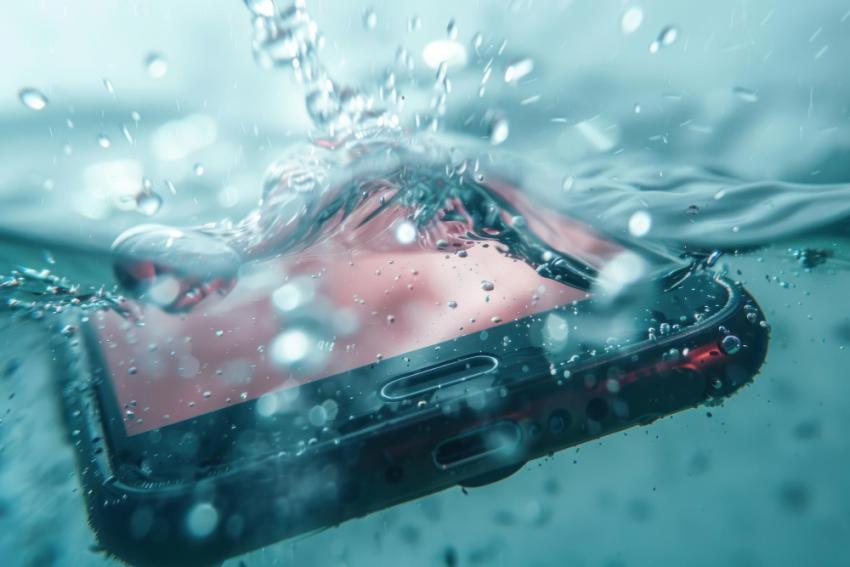
Smartphones have become an essential part of our daily lives. From communication and entertainment to banking and work-related tasks, we rely on our devices more than ever. However, one accidental splash, unexpected rainstorm, or dropped phone can lead to serious water damage that may affect performance, data, and overall functionality.
While modern smartphones offer varying levels of water resistance, no device is completely immune to water-related issues. Understanding how water damage occurs and learning preventive measures can help extend the life of your device and save you from costly repairs.
Why Water Damage Is a Serious Problem
Water can affect several internal components of a smartphone, including:
Battery connections
Charging ports
Motherboards
Speakers and microphones
Display components
Internal sensors
Even a small amount of moisture can cause corrosion over time. In some cases, the damage may not be immediately noticeable and can gradually worsen, leading to unexpected device failures weeks or months later.
Common Causes of Smartphone Water Damage
Many smartphone owners associate water damage with dropping a device into a pool or sink. However, there are numerous everyday situations that can expose a phone to moisture.
Rain Exposure
Using a smartphone during heavy rainfall can allow water to enter charging ports, speaker grills, and other openings.
Bathroom Humidity
Steam from hot showers can create moisture buildup inside a device, especially when phones are frequently used in bathrooms.
Accidental Spills
Coffee, tea, soda, and other beverages can seep into device openings and cause internal damage.
Swimming Pools and Beaches
Waterproof claims often have limitations. Saltwater and chlorinated water can be particularly harmful to smartphone components.
Kitchen Accidents
Phones placed near sinks or cooking areas are at higher risk of accidental splashes.
Understand the Difference Between Water-Resistant and Waterproof
One of the most common misconceptions is that water-resistant phones are completely waterproof.
Water-resistant devices are designed to withstand limited exposure to moisture under controlled conditions. However, factors such as aging seals, physical damage, and prolonged water exposure can reduce their effectiveness.
Always check your device's IP rating and manufacturer guidelines before exposing it to water.
Essential Tips to Prevent Water Damage
Use a High-Quality Protective Case
A waterproof or water-resistant case adds an extra layer of protection against accidental spills, rain, and moisture exposure.
When selecting a case, look for:
Certified waterproof protection
Secure port covers
Shock resistance
Reliable sealing mechanisms
Keep Your Phone Away from Water Sources
Avoid placing your device near:
Sinks
Bathtubs
Swimming pools
Kitchen counters
Water bottles without secure lids
Developing this habit alone can significantly reduce the risk of accidental water exposure.
Avoid Using Your Phone in the Rain
If you must use your phone outdoors during bad weather, consider:
Using an umbrella
Keeping the device inside a waterproof pouch
Limiting screen usage until you're indoors
Protect Charging Ports
Charging ports are one of the most vulnerable areas of a smartphone.
To keep them safe:
Avoid charging a damp device
Regularly inspect ports for moisture
Use protective port covers when appropriate
Be Careful at the Beach
Beach environments present multiple risks:
Saltwater exposure
Sand intrusion
High humidity
Store your device in a sealed waterproof bag when visiting coastal areas.
Keep Phones Away from Children
Young children may accidentally expose smartphones to water through spills, sinks, or bathtubs. Storing devices in secure locations can help prevent these incidents.
What to Do If Your Phone Gets Wet
Quick action can significantly improve the chances of recovery.
Step 1: Turn Off the Device Immediately
Powering off the phone helps reduce the risk of short circuits.
Step 2: Remove Accessories
Remove:
Phone case
SIM card
Memory card
Any connected accessories
Step 3: Dry the Exterior
Use a clean, lint-free cloth to gently remove visible moisture.
Step 4: Avoid Common Mistakes
Do not:
Use a hair dryer
Place the phone in a microwave
Shake the device aggressively
Charge the phone immediately
These actions can worsen the damage.
Step 5: Allow the Device to Dry Naturally
Place the phone in a dry, well-ventilated area and allow sufficient time for moisture to evaporate.
Signs of Hidden Water Damage
Even if your phone appears to function normally after exposure, watch for these warning signs:
Fog inside the camera lens
Distorted speaker sound
Charging issues
Screen flickering
Overheating
Unexpected shutdowns
Battery drainage
These symptoms may indicate internal moisture or corrosion.
Why Professional Inspection Matters
Some water damage remains hidden beneath internal components. Professional technicians have specialized tools to identify moisture, corrosion, and damaged circuits before they become major problems.
Many users seek expert assistance after exposure to liquids, whether through local repair centers or specialists such as Phone fixers Orlando, FL, who can diagnose underlying issues that may not be visible to the average smartphone owner.
Additional Preventive Habits
To further reduce risk:
Back up important data regularly.
Avoid leaving phones in humid environments.
Store devices in waterproof travel pouches during vacations.
Keep liquids away from workstations.
Inspect protective cases periodically for wear and tear.
Follow manufacturer recommendations regarding water exposure.
Final Thoughts
Water damage remains one of the most common causes of smartphone failure, but it is also one of the most preventable. By understanding the risks, using proper protection, and responding quickly when accidents occur, smartphone owners can significantly reduce the likelihood of costly repairs and data loss.
Simple precautions such as keeping devices away from moisture, using quality protective accessories, and recognizing early signs of water damage can help ensure your smartphone remains reliable for years to come. Prevention is always easier—and less expensive—than repairing water-related damage after it occurs.


