

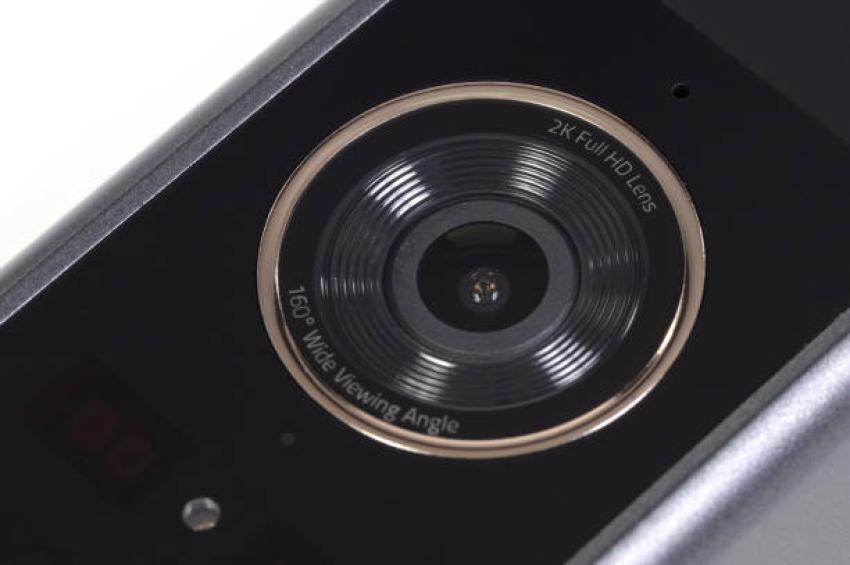
Road moments can happen fast. One second, traffic feels normal. Then a sudden stop, a lane change, or a parking bump can change everything. That is why clear dash cam footage matters. It gives drivers a saved view of what happened on the road. For drivers who need both front and rear video, the fineVu GX7000 Dual Dash Cam QHD front & FHD rear with Sony STARVIS night vision brings QHD front recording and FHD rear coverage together. It records the front view in 2560 x 1440 QHD and the rear view in 1080p Full HD. Also, it uses STARVIS sensors to help with day and night video. As a result, drivers can review road events with more useful detail. Still, clarity depends on setup, lighting, glass condition, and camera angle.
Why 2K QHD Footage Matters
2K QHD footage can show more road detail than standard front Full HD video. So, drivers may see lane markings, traffic signs, nearby vehicles, and road movement more clearly. This can be helpful when reviewing a close call or a sudden event. Drivers can use the fineVu GX7000 Dual Dash Cam QHD front & FHD rear with Sony STARVIS night vision to record the road ahead in QHD and the rear view in Full HD.
Clearer footage may help drivers review:
Lane movement
Sudden braking
Road signs
Vehicle position
Parking lot events
However, dash cam video still depends on real conditions. Rain, fog, dirty glass, glare, and poor placement can affect video quality. Therefore, a clean windshield and proper mount position matter.
Front And Rear Recording In One Setup
A front camera can record what happens ahead. However, many road events also happen from behind. That is why a dual dash cam can be useful. With the fineVu GX7000 Dual Dash Cam QHD front & FHD rear with Sony STARVIS night vision, drivers get a recorded view of the road ahead and the area behind the vehicle. This setup can help drivers better understand a road moment. For example, the front camera may show traffic slowing down. At the same time, the rear camera may show a vehicle following too closely.
Here is a simple look at the main recording details:
Feature FineVu GX7000 Detail Why It Matters
Front Video 2K QHD, 2560 x 1440 Shows clearer road detail
Rear Video 1080p Full HD Records vehicles behind
Sensors 2 x STARVIS sensors Helps day and night clarity
Field Of View 122 degrees Captures a balanced road view
Screen 3.5-inch LCD touchscreen Helps with playback and settings
How STARVIS Sensors Help At Night
Night driving can make the video harder to read. Streetlights may be weak. Headlights may create glare. Also, dark roads can hide small details; for that reason, sensor quality matters. The GX7000 uses 2 x STARVIS sensors. The front camera records in 2K QHD, while the rear camera records in Full HD. These sensors help the camera capture more usable light in low-light scenes.
“Clear night footage is not just about making the video brighter. It also needs balance, contrast, and stable camera placement.”
Also, Auto Night Vision helps adjust recording in darker areas. This can matter on side streets, parking lots, tunnels, and roads with uneven lighting. Still, drivers should keep the windshield clean. A dirty lens or glass can reduce night clarity.
Auto Night Vision And HDR Support
Light changes quickly on the road. A driver may move from sunlight into shade. Then, the car may enter a tunnel or a darker street. Because of this, a dash cam needs to adjust fast. Auto Night Vision can help improve footage in low light. Also, the GX7000 supports HDR standards. HDR can help balance the brightness and darkness in a scene. So, it may reduce harsh lighting changes in the footage.
This can help in common driving situations, such as:
Passing under bridges
Driving near bright headlights
Entering parking garages
Moving through shaded roads
Recording during early morning or evening
However, no camera can control every road condition. Heavy glare, rain, tint, and fog can still affect video. Therefore, drivers should check saved clips after setup.
Parking Mode For Events While Parked
Road footage is not only useful while driving. Sometimes events occur while the vehicle is parked. A cart may roll into the car. Another driver may bump it. A door may hit the side. So, parking mode can help record activity while the driver is away.
The GX7000 includes Buffered Parking Mode, which provides about 10 seconds of coverage around an event. It can be triggered by motion or G-sensor activity. As a result, the camera may save more than the impact itself.
Buffered Parking Mode
Buffered Parking Mode can record moments before and after a triggered event. This can help show how an event started.
Power-Saving Time-Lapse Mode
Power-Saving Time-Lapse Mode can help with longer parked recording when installed with hardwiring.
Battery Protection System
The Battery Protection System can shut off the camera in low-voltage situations. This helps reduce the risk of battery drain during parked use.
Touchscreen, App Control, And Alerts
A dash cam should be simple to check. The GX7000 includes a 3.5-inch IPS touchscreen display. So, drivers can play footage and adjust settings more easily. Also, the camera supports app control. This can help users manage settings from a smartphone. Because of that, checking camera options may feel more direct. The system also includes GPS-related kit details, including a GPS antenna. GPS can add useful trip context, such as location and speed data. However, signal strength and settings can affect GPS use.
“Good footage becomes more useful when drivers can review it without stress.”
What Comes In The FineVu GX7000 Kit
A complete kit can make setup easier. The GX7000 package includes the key parts needed for front- and rear-facing recording. It includes the front and rear cameras, a mounting bracket, a hardwiring kit, and a microSD card.
The product details also list:
Brand: FineVu
Model name: GX7000
Manufacturer: Fine Digital
Country of origin: Korea, Republic of
Color: Black
Mounting type: Windshield mount
Screen size: 3.5 inches
Included memory card size: 64 GB
Maximum supported memory size: 128 GB
Warranty description: 3 years
The complete kit may also include power cables, a GPS antenna, and an optional Wi-Fi dongle. The product dimensions are 8.5 x 12 x 8 cm, with a listed weight of 350 g.
Best Use Cases For Daily Drivers
The GX7000 is compatible with cars, minivans, RVs, and trucks. So, it can fit many driving needs. Daily commuters may use it for traffic records. Families may use it for shared vehicles. RV and truck drivers may value front and rear road views during longer trips. Drivers may choose the fineVu GX7000 Dual Dash Cam QHD front & FHD rear with Sony STARVIS night vision for clearer footage from the road ahead and behind. Its 122-degree field of view also gives a balanced road view. It is wide enough to capture key areas without making the image look too stretched. Still, safe use matters. Drivers should adjust settings while parked. Also, they should check the camera angle after installation. A few minutes of setup can improve footage quality every day.
A Clearer Road Record Starts With The Right Setup
The FineVu GX7000 can record clear 2K QHD road footage when it is mounted and used correctly. Its front QHD recording, rear Full HD camera, STARVIS sensors, Auto Night Vision, HDR support, parking modes, touchscreen display, app control, and battery protection all add practical value.
Also, the included hardwiring kit, microSD card, mounting bracket, and rear camera make the setup more complete. Still, drivers should keep the lens and glass clean. They should also review test footage after installation. When the camera has a clear view, it can save road details that may matter later.


