

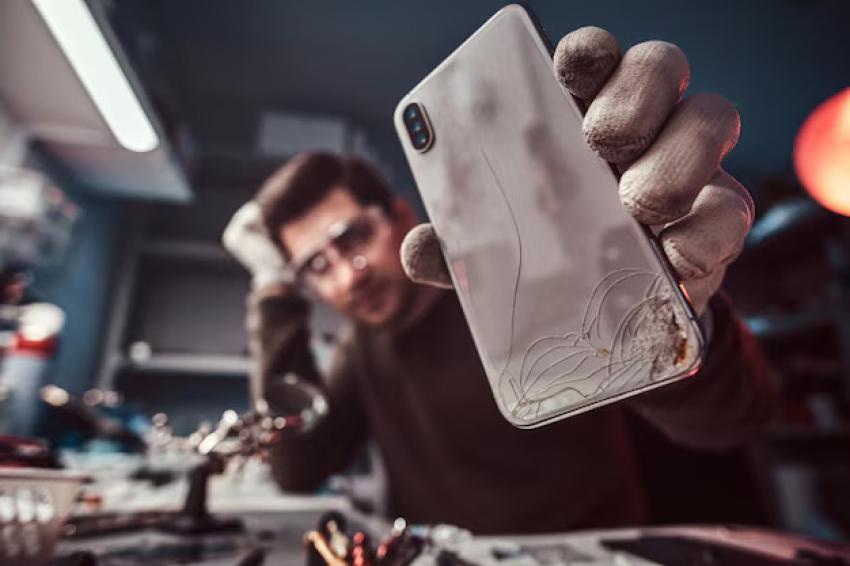
Your iPhone touchscreen is built for speed, precision, and smooth interaction. Whether you are typing messages, scrolling through apps, or unlocking your device with gestures, touch sensitivity plays a major role in everyday performance. However, when the screen becomes damaged, even small issues can interfere with how the phone responds.
From cracked glass to internal display damage, screen problems often lead to frustrating touch-related issues that gradually become worse over time.
Why Touch Sensitivity Is Important
iPhones use advanced capacitive touchscreen technology that detects electrical signals from your fingers. When the screen or internal components are damaged, those signals may not register correctly.
As a result, users may experience:
Delayed touch response
Random screen activity
Missed taps or swipes
Typing inaccuracies
Scrolling problems
Gesture failures
Even if the display still looks functional, hidden internal damage can reduce touchscreen accuracy significantly.
Common Signs of Screen-Related Touch Problems
Touch sensitivity issues usually appear in stages. Some problems may seem minor at first but can quickly worsen.
Dead Areas on the Screen
Certain parts of the display may stop responding entirely. You might tap repeatedly without any reaction.
Ghost Touch
Ghost touch occurs when the screen reacts without physical contact. Apps may open randomly, or the keyboard may type on its own. This issue commonly appears after drops or impact damage.
Delayed Screen Response
A damaged digitizer can cause slow reactions when swiping, tapping, or scrolling through apps.
Flickering and Display Glitches
Internal damage can also lead to flashing screens, colored lines, or unstable display performance that interrupts touch functionality.
What Causes Touch Sensitivity Problems?
Several types of screen damage can affect how an iPhone responds to touch.
Cracked Glass
Visible cracks may interfere with the screen’s ability to detect touch input accurately.
Internal LCD or OLED Damage
Damage beneath the surface often affects both the display and the touch sensor simultaneously.
Water Exposure
Moisture inside the device can disrupt touchscreen circuits and create inconsistent performance.
Pressure or Frame Damage
Excess pressure from bending, sitting on the phone, or dropping heavy objects can damage internal components even if the screen appears mostly intact.
Why Ignoring Screen Damage Can Make Things Worse
Many people continue using a damaged phone because it still works partially. Unfortunately, touchscreen problems rarely improve on their own. Small cracks can spread, internal damage may worsen, and moisture can eventually reach sensitive components.
Over time, a simple repair could turn into a more expensive replacement if the issue is left untreated.
This is why users often start researching professional repair options once touch problems begin affecting daily use. Searches related to iphone screen repair orlando are common among people looking for fast solutions to restore screen responsiveness without replacing the entire device.
Can a Screen Protector Solve the Problem?
A screen protector can help prevent future damage, but it cannot repair internal touchscreen issues or restore a damaged digitizer. In some situations, a poorly fitted protector may even reduce sensitivity further.
If removing the protector does not improve performance, professional inspection is usually the next step.
Benefits of Professional Screen Repair
Professional repair services can restore both visual clarity and touchscreen performance. Skilled technicians are able to identify whether the problem affects only the outer glass or deeper display components.
Quality repairs also help preserve important features like:
Face ID functionality
Smooth scrolling
Accurate touch response
Brightness performance
Display calibration
Choosing experienced repair specialists and quality replacement parts can make a noticeable difference in long-term screen performance.
Tips to Protect Your iPhone Screen
To reduce future touchscreen problems:
Use a shock-resistant case
Install a tempered glass protector
Avoid exposing the phone to water
Keep the device away from heavy pressure
Repair cracks before they spread
Simple preventive steps can help extend the life of your screen and maintain smooth touch sensitivity.
Final Thoughts
Screen damage affects more than appearance. Cracks, internal display issues, and moisture exposure can all interfere with how your iPhone responds to touch. Problems such as ghost touch, dead zones, and delayed response are often warning signs that the screen needs attention.
Addressing these issues early can prevent bigger problems later and help restore the smooth experience iPhone users expect from their devices.
FAQ
Can a cracked iPhone screen reduce touch sensitivity?
Yes. Cracks can interfere with the touchscreen digitizer and cause delayed or inconsistent touch response.
What is ghost touch on an iPhone?
Ghost touch happens when the screen reacts without being touched. It is often caused by screen or internal hardware damage.
Will replacing the screen fix touch problems?
In many cases, replacing the damaged screen restores normal touch sensitivity and display performance.
Can water damage affect the touchscreen?
Yes. Moisture inside the phone can disrupt touch-related components and lead to unresponsive areas or random screen behavior.
How do I know if my iPhone needs screen repair?
Common signs include unresponsive touch areas, flickering displays, random taps, colored lines, and visible cracks.
Can a screen protector repair touch sensitivity issues?
No. Screen protectors help prevent future damage but cannot fix existing screen or digitizer problems.
Why does my iPhone screen respond slowly after being dropped?
Impact damage may affect the digitizer or internal display components, causing delayed touch response.


