

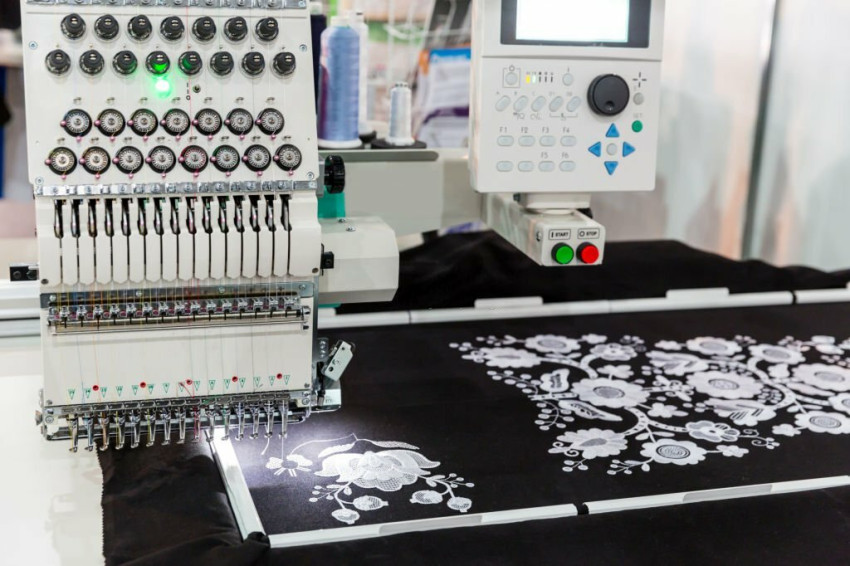
Remember that, the process is not fully automatic, and digitizing done perfectly is referred to as an art form when done in the right way. Embroidery machines are not able to understand the standard images. They have to use embroidery-specific formats depending on the machine being used. The formats will be EMB, DST, PES, EXP, and many more. When we talk about the standard image formats they are like JPG, PNG, and much more. Therefore, you have to convert image to PES or any other required image format to proceed ahead in the process.
File Types To Know
Firstly, we will be looking at the different types of embroidery files used by some of the widely used machines:
- .exp: Best for Melco commercial embroidery machines.
- .dst: Tajima commercial embroidery machines.
- .kwk: Perfect for Brother commercial embroidery machines.
- .tap: Ideal for Happy commercial embroidery machines.
- .dsb: For Barudan commercial embroidery machines.
- .jef: Janome commercial embroidery machines.
Steps in Embroidery Digitizing Process
Now, let’s talk about the different steps that you must know:
1- The first thing to do is the uploading of the logo in the digitizing software.
2- Setting up the size of the embroidery design.
3- Picking up the type of stitch.
4- Right selection of the stitch’s direction.
5- Proper selection of the colors in embroidery threads.
6- Transferring the file into the embroidery machine being used.
Preparation of Artwork for Digitizing
In the process of embroidery digitizing, a digitizer has to analyze the artwork to find out if it needs to be edited for the embroidery or not! The size of the design should be an important consideration. Remember that not every logo you design for print media like the business card will not work well for the embroidery. Multiple designs should be simplified or modified as per the needs.
In some cases, small images or design names are only used. A few elements like the outlining might need to be eliminated and small text may need to be rearranged or enlarged.
Selection of Stitch Type
There are different types of stitches used in the process and we are going to talk about the popular ones:
Straight Stitch
It is also named as the foundation stitch for the embroidery where the repetition of straight lines creates the pattern. You can easily develop thick lines by repeating straight stitches multiple times. This type is not only for straight lines but also for curved shapes too. Note that these are commonly used for outlining, detail work, and shading.
Satin Stitch
Do you want to embroider text, you should use satin stitch without any worry in embroidery digitizing! The long length of thread in this type provides a shiny look that will be ideal for lettering. The maximum length of the stitch is 12.1mm and these are widely used for borders, words, text, and getting a shiny look as mentioned above.
Fill Stitch
It is also known as the tatami stitch or the ceding stitch used to fill in the patterns as you can read the name. The fill stitches are used as an alternating line that provides a woven appearance to embroidery. This type of stitch has 4mm stitch length. Moreover, it is widely used to fill up blank space, large designs, develop textured looks and more reliable applications.
Push & Pull
Push and pull is one of the essential considerations that should be kept in mind. A design moves a bit when it is being embroidered. Due to this some stitches shift the position and this situation happens more in bulky fabrics, long stitches, tight bobbin thread and large areas of thread. A competent digitizer is aware of this and will keep the possible effects in consideration.
Conclusion
Hopefully, now you have a better understanding of embroidery digitizing. It is a complex process and not every person can do it because it is an art form. Proper expertise is a must to get things done. If you are planning to get the service, you should connect with a competent company to get the service from professionals who understand the requirement and can provide the work with a quick turnaround time.


